
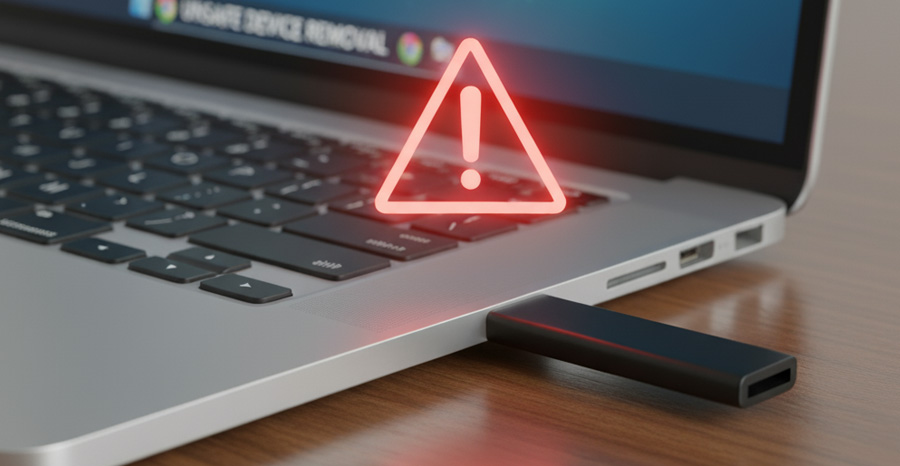
File sharing is at the heart of modern work. From employees moving data on USB drives to teams collaborating online through cloud platforms, sharing files makes it possible to work faster, smarter, and across distances. But convenience often comes at a price. USB drives and public file-sharing services are among the most exploited tools in cyberattacks worldwide. Organizations and individuals who rely on them without proper precautions expose themselves to malware, data theft, compliance violations, and financial loss.
This blog explores the hidden risks of USBs and public file sharing, offers safe transfer methods, and suggests workplace policies that can dramatically reduce these threats.
Why USBs Are a Cybersecurity Weak Point
USB drives are compact, inexpensive, and widely available. That combination makes them both useful and dangerous.
1. Malware and Viruses
USBs can carry malicious code that spreads as soon as they are plugged into a system. In fact, the infamous Stuxnet worm that targeted critical infrastructure spread primarily through infected USB drives. Cybercriminals know many employees trust removable media and will plug in a drive without question.
2. Lost or Stolen Devices
Unlike laptops or smartphones, USBs often lack encryption or tracking features. Once lost, any sensitive data stored on them can be accessed instantly by whoever finds them. A misplaced USB can cause a major data breach.
3. “BadUSB” Exploits
Some attackers go beyond file-based malware and reprogram a USB’s firmware to impersonate a trusted device like a keyboard. This allows it to type commands, install backdoors, or steal login credentials in seconds—without the user noticing.
The Dangers of Public File-Sharing Platforms
Free public file-sharing tools and open links are another weak link. While they’re useful for quick collaboration, they introduce risks that most users don’t realize.
1. Unsecured Transfers
Not all services encrypt data during upload or download. Files can be intercepted in transit by attackers performing man-in-the-middle (MITM) attacks.
2. No Access Control
With public file-sharing links, anyone who has the URL can access the files – sometimes without even needing a password. Employees might accidentally forward these links to the wrong people, leaking sensitive information.
3. Hosting Malware
Cybercriminals often use free file-sharing platforms to host malicious software disguised as legitimate files. Unsuspecting users may download these files and infect their systems.
4. Compliance and Legal Risks
For businesses in regulated industries (like healthcare, finance, or government), public file-sharing without safeguards can violate laws like HIPAA, GDPR, or PCI-DSS. The penalties for noncompliance can be severe.
Real-World Incidents
- The Stuxnet Example: Demonstrated how USBs could be used to sabotage critical infrastructure on a global scale.
- Lost USB in Japan (2021): A government worker lost a USB drive containing data on nearly 500,000 residents, creating a public relations nightmare.
- Misconfigured Public Links: Several corporations have accidentally exposed thousands of customer records by leaving sensitive spreadsheets or reports on publicly accessible Google Drive or Dropbox links.
These cases underline a critical truth: a single careless file transfer can lead to massive financial, reputational, and legal consequences.
Safer Alternatives for File Transfers
Luckily, the risks of USBs and public file-sharing can be reduced with secure alternatives.
1. Encrypted File-Sharing Services
Choose enterprise-grade platforms such as OneDrive for Business, Box Enterprise, or SharePoint. These services encrypt data both in transit and at rest, making interception far more difficult.
2. Password-Protected Links
When sharing files online, ensure links are password-protected and expire after a set period. This prevents permanent access by unauthorized users.
3. VPNs for File Transfers
When working remotely, always use a VPN (Virtual Private Network) to protect against MITM attacks and secure data moving across public networks.
4. Secure USB Practices
- Use encrypted USB drives with password protection.
- Disable AutoRun features to prevent malware execution.
- Always scan USBs with antivirus software before opening files.
- Avoid plugging in unknown or “found” USBs—attackers often plant them in public places.
Building a Secure Workplace Policy
Technology alone can’t fix human behavior. Clear workplace policies ensure employees understand the risks and follow safe practices.
1. Restrict USB Use
- Block unauthorized USB devices on work computers.
- Only allow encrypted, IT-approved drives for business use.
- Require employees to report lost or misplaced drives immediately.
2. Control File-Sharing Access
- Restrict the use of personal accounts (like free Dropbox or Google Drive) for business purposes.
- Whitelist approved platforms for internal and external collaboration.
- Monitor file-sharing activity to detect unusual behavior.
3. Training and Awareness
- Run awareness sessions to explain USB and public file-sharing risks.
- Teach employees how to recognize malicious files and links.
- Conduct simulations to test employee response to suspicious devices or file requests.
4. Incident Response Plans
- Have a clear procedure for reporting suspicious USB drives or file-sharing activities.
- Ensure IT teams can remotely wipe lost devices or revoke access to compromised accounts.
Quick Safety Tips for Individuals
For employees and everyday users, here are simple steps to reduce risk:
- Never trust unknown USBs. If you find one, hand it to IT instead of plugging it in.
- Encrypt your own USB drives. If you must carry sensitive data, make sure it’s protected.
- Check file-sharing permissions. Before sending a link, ensure it’s restricted to specific recipients.
- Use antivirus protection. Keep it updated and enable auto-scans for removable drives.
- Think before sharing. Ask yourself: “Should this file be stored or shared this way?”
Why Training Is Non-Negotiable
While policies and tools are important, the human factor remains the greatest risk. Employees who aren’t trained are more likely to make costly mistakes—like plugging in an infected USB or uploading sensitive data to a public platform.
That’s why organizations need to invest in practical, role-based cybersecurity training. Tiraza’s Public File Sharing & USB Safety Course provides exactly that:
- Real-world examples of how USB and file-sharing risks affect organizations.
- Actionable best practices to keep employees and businesses safe.
- Easy-to-follow lessons that change risky habits into secure behaviors.
Final Thoughts
USB drives and public file-sharing services offer convenience, but they also open the door to some of the most preventable cyber threats. From malware infections to data leaks and compliance failures, the risks are too great to ignore.
The path to safety is clear:
- Use secure file-sharing alternatives.
- Encrypt devices and links.
- Establish clear policies.
- Train employees to make smarter choices.
By combining technology, policy, and education, businesses can protect sensitive data and reduce the risk of devastating cyber incidents.
Take the first step toward protecting your workplace. Enroll in Tiraza’s Public File Sharing & USB Safety Course today and equip your team with the knowledge to share files safely and securely.